RAID, in plain language
RAID means Redundant Array of Independent Disks. Linux treats several physical drives as one logical disk. Some RAID levels copy data for safety. Some stripe data for speed. RAID is not a backup.
Why dedicated servers use RAID
Hetzner often ships two same-size SSDs or NVMe drives. If you install the OS on only one disk, a single failure takes the server down. RAID1 writes the same data to both disks. One disk can die and the website stays up until you replace the drive.
rm -rf, or a bad installimage. Keep backups somewhere else (storage box, object storage, another machine)./dev/md2 is one layer. Root is often RAID → LVM (/dev/mapper/vg0-root), and can also sit on LUKS or a plain partition. The full “where is /” table: Rescue System.The levels you will actually see
RAID 0 · stripe
Data is split across disks for speed and full capacity.
2×1 TB → 2 TB · one disk dies = all data gone
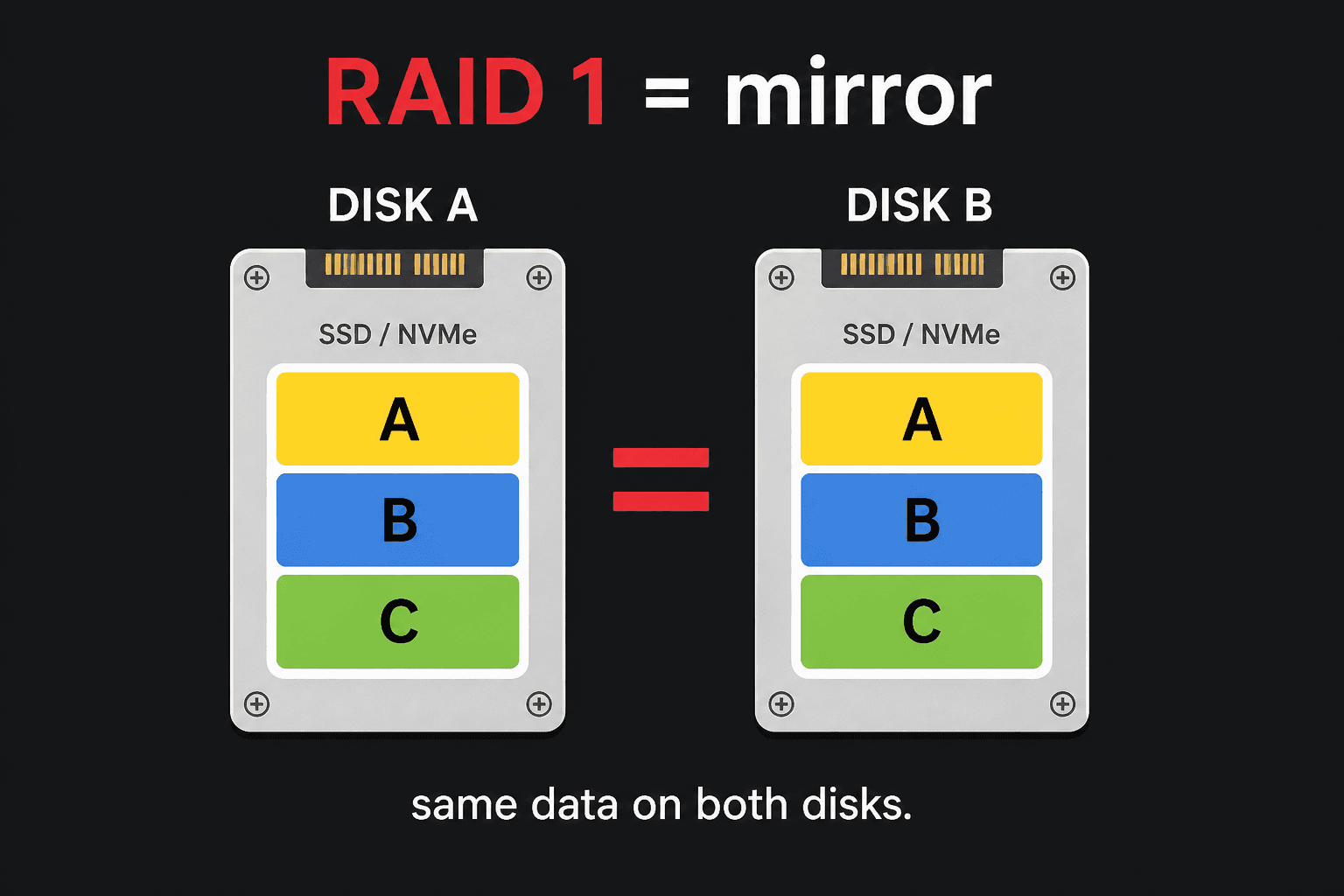
RAID 1 · mirror
Two (or more) copies. Hetzner default for two OS disks.
2×1 TB → 1 TB · one disk may fail
RAID 5 · parity
Needs 3+ disks. Capacity of N−1. Heavier writes.
3×1 TB → 2 TB · one disk may fail
RAID 6 · dual parity
Needs 4+ disks. Two disks may fail. Common on many-drive boxes.
4×1 TB → 2 TB · two disks may fail
RAID 10 · mirror + stripe
Best mix of speed and safety. Needs 4 disks (or more, even count).
4×1 TB → 2 TB · one disk per mirror may fail
/boot stays RAID1
Even if data is RAID 0 or 10, Hetzner keeps /boot as RAID1 so GRUB can boot.
md0 = boot mirror
installimage can build software RAID 0, 1, 5, 6, or 10. For two disks, use RAID1 unless you fully accept RAID0 data loss.
fd and GPT “Linux RAID” tell other tools “this slice is meant for mdadm.” They do not build the array. You still run mdadm --create (or let installimage do it). The real RAID member shows up as linux_raid_member in lsblk -f. Partition labels vs filesystems: Partitioning.Software RAID vs hardware RAID
| Software RAID (mdadm) | Hardware RAID | |
|---|---|---|
| Who does the work | Linux CPU, tiny cost on modern hardware | A RAID card in the server |
| You see | /dev/md0, md1, md2 | One fake disk, e.g. /dev/sda |
| Hetzner | Usual on auction / two-disk servers | Set up the array before installimage |
| Rescue | Linux can assemble the array | The card presents the volume already |
Read RAID status
cat /proc/mdstatWhat you should see
Personalities : [raid1]md2 : active raid1 nvme0n1p3[0] nvme1n1p3[1] 498860032 blocks super 1.2 [2/2] [UU] md1 : active raid1 nvme0n1p2[0] nvme1n1p2[1] 1046528 blocks super 1.2 [2/2] [UU] md0 : active raid1 nvme0n1p1[0] nvme1n1p1[1] 262080 blocks super 1.2 [2/2] [UU] unused devices: <none>Circle [UU] with your eyes: two disks, both Up. [_U] or [U_] means a disk is missing. A progress bar under the array is a rebuild — wait for it.
lsblkWhat you should see
NAME MAJ:MIN RM SIZE RO TYPE MOUNTPOINTnvme0n1 259:0 0 476.9G 0 disk└─nvme0n1p3 259:3 0 475.7G 0 part └─md2 9:2 0 475.6G 0 raid1 /nvme1n1 259:4 0 476.9G 0 disk└─nvme1n1p3 259:7 0 475.7G 0 part └─md2 9:2 0 475.6G 0 raid1 /mdadm --detail /dev/md2What you should see
/dev/md2: Version : 1.2 Creation Time : Sun Apr 12 09:11:02 2026 Raid Level : raid1 Array Size : 498860032 (475.56 GiB) Used Dev Size : 498860032 (475.56 GiB) Raid Devices : 2 Total Devices : 2 State : clean Active Devices : 2 Working Devices : 2 Failed Devices : 0 Spare Devices : 0 UUID : 8f3a1c2d:9e0b4a17:c5d6e8f0:11223344 Devices : 2 Number Major Minor RaidDevice State 0 259 3 0 active sync /dev/nvme0n1p3 1 259 7 1 active sync /dev/nvme1n1p3/proc = process filesystem (live kernel data). md = Multiple Device (software RAID). stat = status. Full list of short names: Abbreviations.
Create a data array (extra disks)
Only do this for spare drives that are not already in the OS array. Creating RAID wipes those devices.
mdadm --create --verbose /dev/md3 --level=1 --raid-devices=2 /dev/sdc /dev/sddmkfs.ext4 /dev/md3mkdir -p /datamount /dev/md3 /dataWhat you should see
mdadm: size set to 976747520Kmdadm: array /dev/md3 started.mke2fs 1.47.0Creating filesystem with 244186880 4k blocksSuperblock backups stored on blocks: ...Writing superblocks and filesystem accounting information: donePersist the mount in /etc/fstab using the UUID from blkid /dev/md3.
Email when a disk fails
On Debian and Ubuntu, set a mail address in /etc/mdadm/mdadm.conf and keep AUTOCHECK=true in /etc/default/mdadm. You need a working mail stack for this to leave the server.
mdadm --monitor --test --oneshot /dev/md0What you should see
mdadm: Monitor using /proc/mdstat for arrays(a test mail is sent if a mail address is set in /etc/mdadm/mdadm.conf)Stop RAID in Rescue before a clean install
mdadm --stop /dev/md0mdadm --stop /dev/md1mdadm --stop /dev/md2mdadm --stop /dev/md*What you should see
mdadm: stopped /dev/md0mdadm: stopped /dev/md1mdadm: stopped /dev/md2