Short commands, long names
Linux keeps old short names from UNIX: six letters on a teletype, not a sentence. This page expands every short form used in these guides.
/proc is the live process filesystem (kernel status, not a real folder on disk). md is Multiple Device, Linux software RAID. stat is status. So cat /proc/mdstat means “print the multiple-device RAID status from the kernel.”
cat /proc/mdstatWhat you should see
Personalities : [raid1]md2 : active raid1 nvme0n1p3[0] nvme1n1p3[1] 498860032 blocks super 1.2 [2/2] [UU]unused devices: <none>[UU] = both disks Up. The short names on this page are what those letters stood for in the first place.
138 of 138 entries
Paths & devices
/proc/mdstatPROCess filesystem · Multiple Device STATusA kernel file that reports software RAID. /proc is a live view of the running system (not a normal disk folder). md = Multiple Device, Linux’s name for software RAID. stat = status.
/proc/cpuinfoPROCess filesystem · CPU INFOrmationCPU model, cores, and flags (including vmx/svm for virtualization).
/proc/meminfoPROCess filesystem · MEMory INFOrmationDetailed RAM and swap numbers.
/dev/md0DEVice · Multiple Device 0A software RAID array as a virtual disk. Numbers: md0, md1, md2, sometimes md127. On Hetzner, md2 is often the big array — root may still be LVM on top (vg0-root), not md2 itself.
/dev/sdaDEVice · SCSI Disk AFirst SATA/SAS disk. The sd prefix is historical (SCSI disk). Next disks: sdb, sdc. Partitions: sda1, sda2.
/dev/nvme0n1DEVice · NVMe controller 0, Namespace 1First NVMe SSD. Partitions add p: nvme0n1p1. A second NVMe is usually nvme1n1.
/dev/mapper/DEVice · MAPPERFriendly names for Device Mapper volumes: vg0-root (LVM), cryptroot (LUKS), mpatha (multipath). Same objects also appear as /dev/dm-0, dm-1. In Rescue, ls /dev/mapper/ then mount the top of the stack.
/dev/vdaDEVice · Virtio Disk AFirst disk inside a KVM/Proxmox/Incus guest. Partitions: vda1, vda2. On the dedicated host you still see nvme or sd devices.
/etc/fstabETCetera · File System TABleList of filesystems Linux mounts at boot. Wrong UUIDs here can stop the server from booting.
/etc/os-releaseETCetera · Operating System releaseShows whether you are on Debian, Ubuntu, and which version.
inodeIndex NODEThe file’s ID on a filesystem. Stores type, permissions, owner, size, timestamps, hard-link count, and pointers to data blocks. The name lives in the directory. ls -li prints the number. Hard links share one inode.
Storage commands
lsblkLiSt BLocK devicesTree of disks, partitions, RAID, LVM, and mount points. First command to learn.
dfDisk FreeHow full each mounted filesystem is. -h = human (GiB), -T = type, -i = inodes.
duDisk UsageHow much space a folder uses. df is the tank; du is which boxes are heavy.
ncduNCurses Disk UsageInteractive du. NCurses is the text UI library. Arrow keys to browse folders.
mdadmMultiple Device ADMinCreate, stop, and inspect Linux software RAID arrays.
fdiskFixed / Format DISKInteractive partition editor. -l lists tables without changing them.
partedPARTition EDitorGNU partition tool. Handles GPT disks larger than 2 TiB.
mkfsMaKe FileSystemFormat a partition. mkfs.ext4, mkfs.xfs, mkfs.btrfs, mkfs.vfat. This erases data on that slice. The partition type (83 / Linux filesystem) is only a label — mkfs is the real format.
mkswapMaKe SWAPFormat a volume as swap (overflow RAM on disk).
mountMOUNT a filesystemAttach a filesystem to a folder, often /mnt in Rescue.
umountUnMOUNTDetach a filesystem. Spelled umount (no n) from old UNIX 6-character names.
findmntFIND MouNTsWhat is mounted where, in a tree. In Rescue, findmnt / is Rescue’s RAM root until you mount the OS at /mnt.
blkidBLocK IDentifierPrints UUID and filesystem type. Use UUIDs in /etc/fstab. In Rescue, pair with lsblk -f to see RAID, LVM, and LUKS layers.
cryptsetupCRYPT SETUPUnlock or inspect LUKS encrypted disks. cryptsetup luksDump /dev/sdX shows the header. luksOpen creates /dev/mapper/cryptroot. Not used by a default Hetzner installimage.
wipefsWIPE FileSystem signaturesErase RAID/filesystem labels so installimage can reuse the disk. Destructive.
fsckFile System ChecKRepair a filesystem. Run from Rescue, not on a mounted disk.
resize2fsRESIZE ext2/3/4 FileSystemGrow (or shrink, carefully) an ext4 filesystem after LVM grow.
xfs_growfsXFS GROW FileSystemGrow an XFS filesystem while it is mounted. There is no supported XFS shrink.
xfs_repairXFS REPAIRRepair an XFS filesystem. Run from Rescue, not while it is mounted.
smartctlSMART ConTroLDisk health. SMART = Self-Monitoring, Analysis and Reporting Technology.
LVM
LVMLogical Volume ManagerA layer on a disk or RAID so you can grow volumes later without repartitioning everything. Ubuntu installer names can look like ubuntu--vg-root (dashes doubled).
PVPhysical VolumeA disk, partition, or RAID array given to LVM. Command: pvcreate, list: pvs.
VGVolume GroupA pool of PVs. Often named vg0. Command: vgcreate, list: vgs.
LVLogical VolumeA slice of a VG you format and mount, like vg0-root. Command: lvcreate, list: lvs.
pvcreatePhysical Volume CREATEMark a device as LVM physical volume.
vgcreateVolume Group CREATECreate a pool, e.g. vgcreate vg0 /dev/sda3.
lvcreateLogical Volume CREATECut a named volume from the pool.
lvextendLogical Volume EXTENDGrow an LV. -r also grows the filesystem.
pvs / vgs / lvsPhysical / Volume / Logical volumeSShort status lists for each LVM layer.
System & hardware
lsLiStShow files in a folder. ls -l is the long listing. ls -li adds inode numbers. ls -lah includes hidden files and human sizes.
statSTATusPrint full metadata for one file: size, inode, mode, owner, and timestamps. ls -l is the summary; stat is the card.
pwdPrint Working DirectoryShow the folder you are in before you run ls.
catconCATenatePrint a file to the screen. cat /proc/mdstat means “show RAID status”.
grepGlobal Regular Expression PrintFilter lines that match a pattern. egrep is grep -E (extended patterns).
lscpuLiSt CPUCPU model, cores, threads, architecture.
lshwLiSt HardWareInventory of the machine. Needs root for full detail.
lspciLiSt PCIPCI cards: NICs, NVMe, RAID. PCI = Peripheral Component Interconnect.
nprocNumber of PROCessorsHow many CPU threads Linux sees.
dmidecodeDMI DECODERead firmware tables. DMI = Desktop Management Interface (RAM size, manufacturer).
hostnamectlHOSTNAME ConTroLHostname, OS, kernel, virtualization.
timedatectlTIME and DATE ConTroLTimezone and clock.
systemctlSYSTemD ConTroLStart/stop services on modern Debian and Ubuntu.
journalctlJOURNAL ConTroLRead systemd logs. --disk-usage / --vacuum-time clean old logs.
unameUNix NAMEKernel name. uname -a is a full snapshot.
uptimeUP TIMEHow long the server has been running, plus load averages.
chmodCHange MODeChange file permissions.
chownCHange OWNerChange file owner/group.
chrootCHange ROOTRun commands as if a mounted disk were the live OS. Used in Rescue to reset passwd.
passwdPASSWorDSet a user’s password. Inside chroot it changes the installed OS, not Rescue.
sudoSuperUser DORun one command as root.
suSubstitute UserSwitch to another user, often root.
Memory, processes, I/O
freeFREE memoryRAM and swap. Trust available more than free. -h = human sizes.
psProcess StatusRunning programs. ps aux is “all users, extra detail”.
topTOP processesLive CPU/RAM table. Named for the top consumers, not an acronym.
htopHisham’s TOPFriendlier top (by Hisham Muhammad). Color, mouse, easier sorting.
vmstatVirtual Memory STATisticsRAM, swap, and I/O in one repeating snapshot.
iostatInput/Output STATisticsHow busy each disk is. %util near 100% means the disk is saturated.
iotopInput/Output TOPWhich process is doing the most disk I/O.
Network & login
sshSecure SHellEncrypted remote login. ssh root@IP from your laptop.
scpSecure CoPyCopy files over SSH.
ssh-keygenSSH KEY GENeratorCreate keys, or ssh-keygen -R IP to forget an old host key after reinstall.
ipInternet Protocol (iproute2)Modern network tool. ip a addresses, ip r routes, -br brief.
ifconfigInterFace CONFIGureOld network tool. Prefer ip on Debian and Ubuntu.
pingPacket INternet GroperTest if an IP answers.
curlClient URLFetch a URL from the command line.
wgetWeb GETDownload a file from HTTP/HTTPS.
Firewall & ports
ssSocket StatisticsSee listening ports and which process owns them. Replaces netstat. ss -tulpn is the usual check.
ufwUncomplicated FireWallBeginner firewall on Ubuntu/Debian. Writes iptables/nftables rules for you.
iptablesIP TABLESIPv4 packet filter and NAT rules. Tables: filter (allow/drop), nat (port forwarding).
nftables / nftNetFilter TABLESNewer kernel firewall. nft list ruleset shows the live policy. iptables may be a compatibility wrapper.
NATNetwork Address TranslationRewrite packet IPs/ports. Used to publish a VM through the host’s public IP.
DNATDestination NATChange where a packet is going (port forwarding to a guest IP).
SNAT / MASQUERADESource NATChange where a packet appears to come from so replies find their way back.
TCP / UDPTransmission Control Protocol / User Datagram ProtocolTwo separate port spaces. TCP 80 and UDP 80 can both be used at once.
INPUT / FORWARDiptables chainsINPUT = traffic to this host. FORWARD = traffic through this host to a VM.
Packages & editing
aptAdvanced Package ToolDebian/Ubuntu installer. apt update then apt upgrade or apt install.
dpkgDebian PacKaGeLow-level package tool under apt.
nanoNANO’s ANOther editorSimple text editor. Ctrl+O save, Ctrl+X exit.
vimVi IMprovedEditor. Press i to type, Esc then :wq to save and quit.
tmuxTerminal MUltipleXerKeep sessions alive if SSH drops.
tarTape ARchivePack or unpack .tar.gz files. The name is from magnetic tape.
gzipGNU ZIPCompress a file. GNU = GNU’s Not Unix.
installimageHetzner INSTALL IMAGEHetzner Rescue installer for Ubuntu/Debian, RAID, and partitions. Not a UNIX acronym.
Acronyms
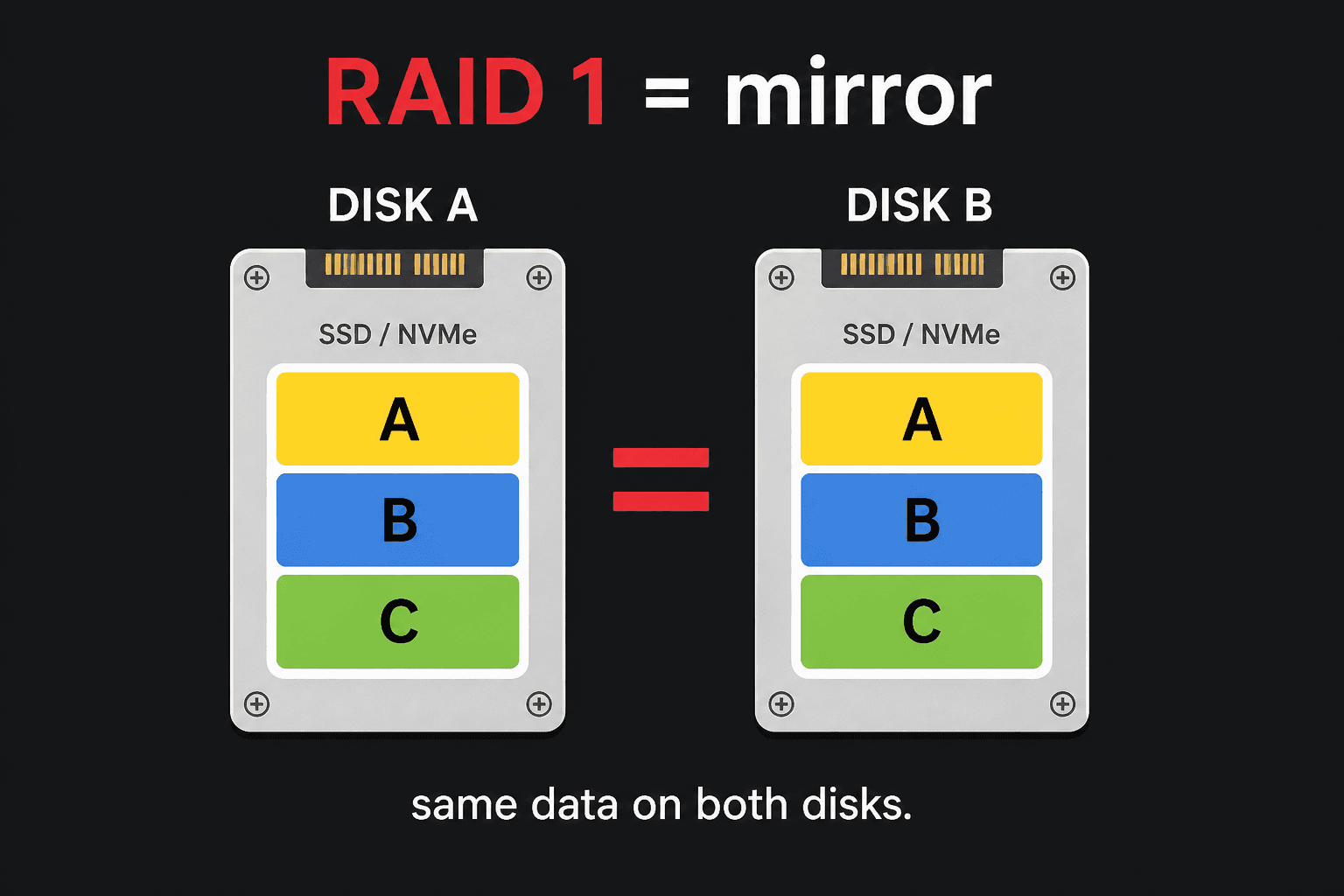
RAIDRedundant Array of Independent DisksSeveral disks acting as one. Not a backup. Often one layer under LVM (md2 → vg0-root).
LUKSLinux Unified Key SetupDisk encryption. Appears as crypto_LUKS in lsblk -f until you unlock it to /dev/mapper/cryptroot. Not the Hetzner installimage default.
dmDevice MapperKernel layer that builds virtual block devices. LVM, LUKS, and multipath all show up as /dev/dm-N. Use the /dev/mapper/ name when you can.
GPTGUID Partition TableModern partition map. Needed for disks larger than 2 TiB. GUID = Globally Unique Identifier.
MBRMaster Boot RecordOld partition map. Max 2 TB and 4 primary partitions. Avoid on big dedicated disks.
ext2Second Extended FilesystemOldest common Linux format still in the tools. First Linux filesystem that could manage about 2 TB. No journal: after a crash, fsck must scan the whole disk. Do not use for a new Hetzner OS install.
ext3Third Extended Filesystemext2 plus a journal for fast crash recovery. Backward compatible with ext2. No snapshots and no easy undelete — pick ext4 on a new dedicated server.
ext4Fourth Extended FilesystemThe usual Ubuntu/Debian format on Hetzner (installimage default). Journal, extents, delayed allocation, journal checksums, multi-block allocation, online grow. Can mount old ext2/ext3 volumes; old ext2/ext3 drivers cannot mount a modern ext4 volume.
XFSXFS (name, not an acronym people expand)Mature 64-bit journaling filesystem from SGI. Default on RHEL 7+. Delayed allocation, dynamic inodes, online grow (no shrink), xfs_repair. Strong for large files and /var.
BtrfsB-tree File System (“butter FS”)Copy-on-write filesystem with snapshots, data checksums, compression, and subvolumes. Useful later for an Incus pool. Keep the OS on ext4/XFS unless you specifically want those features.
CoWCopy-on-WriteBtrfs (and similar filesystems) never overwrite a block in place. That is how snapshots stay cheap and consistent.
journalFilesystem journal (write-ahead log)A short diary of upcoming writes. After a crash, Linux replays it instead of scanning the whole disk. ext3/ext4 and XFS have one. ext2 does not. Btrfs uses copy-on-write instead.
83 / 8e / fdMBR partition type codesOne-byte labels: 83 = Linux, 8e = Linux LVM, fd = Linux RAID, 82 = swap. GPT uses names like “Linux filesystem” instead. Labels are not the filesystem — mkfs still creates ext4/XFS/Btrfs.
UEFI / EFIUnified Extensible Firmware InterfaceModern firmware instead of BIOS. EFI is the older name.
ESPEFI System PartitionSmall FAT32 partition, usually /boot/efi, that UEFI boots from.
BIOSBasic Input/Output SystemOlder firmware. Some Hetzner boxes still boot this way (legacy).
PXEPreboot eXecution EnvironmentBoot from the network. How Hetzner Rescue starts, from RAM, not from your disks.
NVMeNon-Volatile Memory ExpressFast SSD on the PCI bus. Device names look like /dev/nvme0n1.
SATASerial ATACommon disk cable/protocol. ATA = Advanced Technology Attachment. Devices often /dev/sdX.
SSD / HDDSolid State Drive / Hard Disk DriveFlash vs spinning platter. lsblk ROTA 0 = SSD/NVMe, 1 = HDD.
UUIDUniversally Unique IDentifierStable ID for a filesystem. Prefer this over /dev/sda3 in fstab.
CPU / RAMCentral Processing Unit / Random Access MemoryProcessor and working memory.
OSOperating SystemDebian, Ubuntu, Proxmox, and so on.
SSHSecure SHellHow you log in remotely.
IP / DNSInternet Protocol / Domain Name SystemAddress of the server, and names that point to addresses.
TCP / UDPTransmission Control Protocol / User Datagram ProtocolTwo separate port spaces. TCP 80 and UDP 80 can both be used at once.
KVMKernel-based Virtual MachineLinux hypervisor for VMs (Proxmox uses this). Hetzner “KVM console” instead means Keyboard-Video-Mouse remote screen.
LXCLinuX ContainersSystem containers. Proxmox and Incus can run these.
VMVirtual MachineA full guest OS on the dedicated host.
GRUBGRand Unified BootloaderStarts Linux from the disk. installimage installs GRUB2.
CLI / TUICommand Line Interface / Text User InterfaceTyped commands vs menu screens (installimage uses a TUI).
Common flags
-hHuman-readable (or Help)On df, du, free: sizes in G/M. On many other tools: show help.
-aAll (or automatic)installimage -a runs without the menu. ls -a shows hidden files.
-lList (or long)fdisk -l lists partitions. ls -l is the long listing.
-fForce / Filesystem / FormatDepends on the command. wipefs -f is force. lsblk -f shows filesystems.
-yYesapt install -y does not ask “are you sure?”
-iInodes / interactivedf -i shows inode use (number of files), not bytes. ls -li prints each file’s inode number.
-TTypedf -hT adds the filesystem type column (ext4, xfs).
-vVerbosePrint extra detail. mdadm --verbose while creating RAID.
-nNo-op / dry run / numberwipefs -n only shows what it would erase.
-rRecursive / resize filesystemlvextend -r grows the filesystem with the volume.
-oOutput columns / optionslsblk -o NAME,SIZE,TYPE chooses columns.
-brBRiefip -br a is a short address list.
-x / -xdeveXclude other filesystemsfind -xdev stays on one disk so you do not walk into /mnt by accident.