Firewall, port forwarding, and iptables
A firewall decides which traffic may enter the server. A port is a numbered door on an IP address. iptables (and nftables) are the Linux tools that enforce those rules. Two programs cannot normally sit on the same door.
How a port works
An IP address is the building. A port is a door number from 1 to 65535. SSH is usually door 22, HTTP 80, HTTPS 443. A program binds (sits on) an address plus a port plus a protocol (TCP or UDP). That combination must be unique.
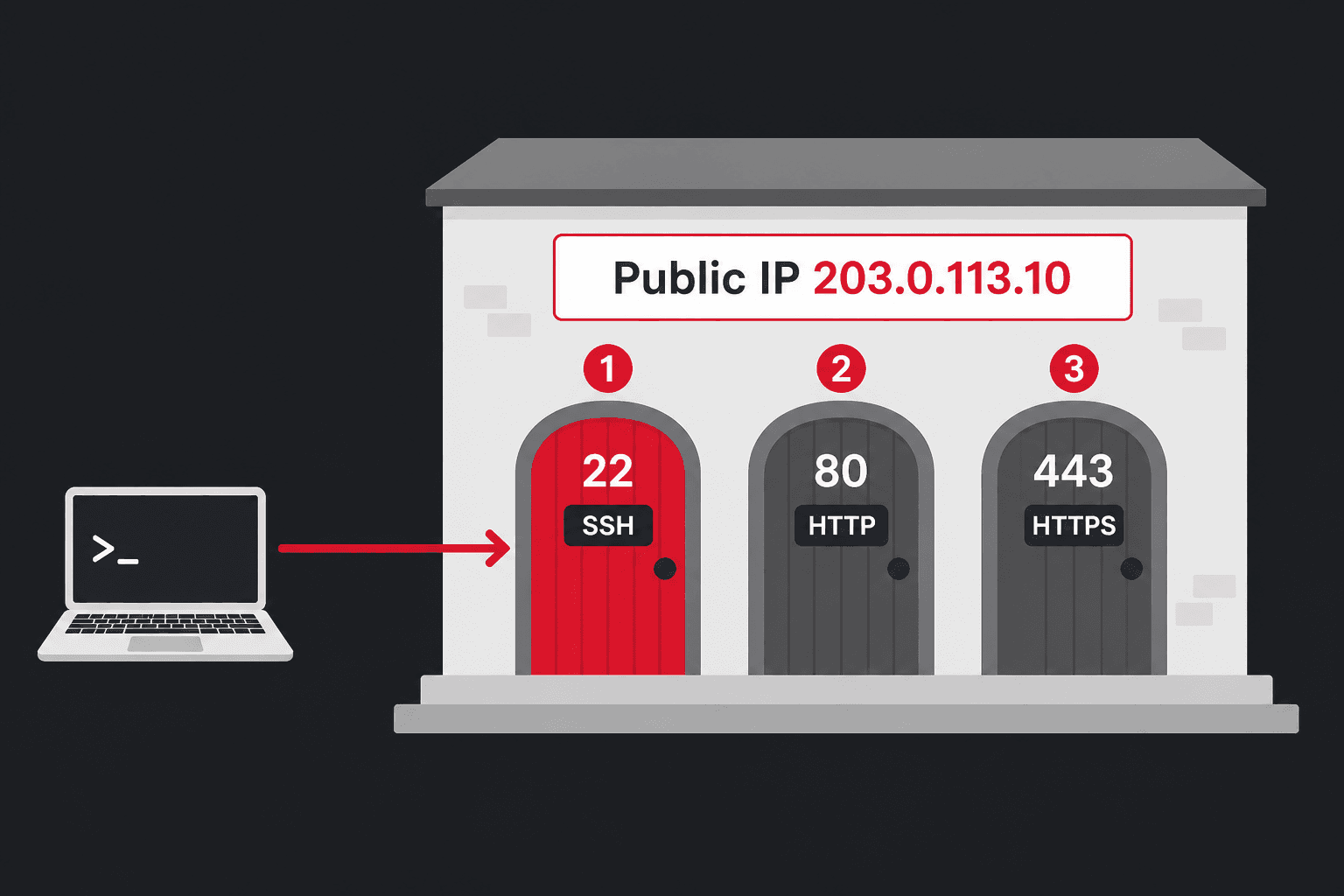
| Piece | Example | Stands for |
|---|---|---|
| IP | 203.0.113.10 | Internet Protocol address of the server |
| TCP | 22 | Transmission Control Protocol — reliable streams (SSH, web) |
| UDP | 53 | User Datagram Protocol — faster, no connection (DNS, games) |
| Bind | 0.0.0.0:80 | Listen on all IPv4 addresses, port 80 |
Can two programs use the same port?
Usually no. If nginx already holds 0.0.0.0:443/tcp, Apache cannot bind that same socket. Linux returns Address already in use (EADDRINUSE). That is not a firewall problem — the door is occupied.
| Situation | Same port OK? | Why |
|---|---|---|
Two apps on 0.0.0.0:80 TCP | No | One TCP listener per address:port |
| TCP 80 and UDP 80 | Yes | Different protocol — two separate doors |
127.0.0.1:8080 and 203.0.113.10:8080 | Yes | Different bind addresses |
| Two public IPs, both port 80 | Yes | Each extra Hetzner IP is its own address |
| nginx on 443, apps on 3000 / 8080 | Yes | Reverse proxy: one public door, many internal services |
| Port forward 8080 → VM:80, host also on 8080 | No | Forwarding does not create a second listener. Something still owns 8080 on the host, or NAT steals that port before a local app sees it — pick one design. |
ss -tulpnss -tulpn | grep ':80'ss -tulpn | grep ':443'lsof -iTCP:22 -sTCP:LISTEN# Address already in use? this shows the occupantWhat you should see
Netid State Recv-Q Send-Q Local Address:Port Peer Address:Port Processtcp LISTEN 0 128 0.0.0.0:22 0.0.0.0:* users:(("sshd",pid=1012,fd=3))tcp LISTEN 0 511 0.0.0.0:80 0.0.0.0:* users:(("nginx",pid=1404,fd=8))tcp LISTEN 0 511 0.0.0.0:443 0.0.0.0:* users:(("nginx",pid=1404,fd=9))ss = socket statistics (replaces old netstat). -t TCP, -u UDP, -l listening, -p process, -n numeric ports (no name lookup).
Three layers on a Hetzner dedicated box
- Hetzner Robot firewall — packet filter in front of the server. Robot → your server → Firewall. Allow SSH before you enable a default-deny policy, or you lock yourself out.
- Host firewall —
ufw(easiest on Ubuntu) oriptables/nftableson the OS. - App bind — even with the firewall open, nothing answers unless a program is listening.
UFW — beginner firewall (Ubuntu / Debian)
ufw = Uncomplicated Fire Wall. It writes iptables/nftables for you.
apt install -y ufwufw default deny incomingufw default allow outgoingufw allow OpenSSHufw allow 80/tcpufw allow 443/tcpufw enableufw status verboseWhat you should see
Default incoming policy changed to 'deny'Rules updatedRules updated (v6)Command may disrupt existing ssh connections. Proceed with operation (y|n)? yFirewall is active and enabled on system startup Status: activeLogging: on (low)Default: deny (incoming), allow (outgoing), disabled (routed) To Action From-- ------ ----22/tcp (OpenSSH) ALLOW IN Anywhere80/tcp ALLOW IN Anywhere443/tcp ALLOW IN Anywhereufw allow 8080/tcp opens an extra TCP port. Prefer HTTPS on 443 via a reverse proxy instead of exposing many ports to the internet.
ufw allow 8080/tcp comment 'app'ufw status numberedufw delete 3ufw deny 23/tcpufw reloadufw disableWhat you should see
Rule addedStatus: active To Action From -- ------ ----[ 1] 22/tcp ALLOW IN Anywhere[ 2] 80/tcp ALLOW IN Anywhere[ 3] 443/tcp ALLOW IN Anywhere[ 4] 8080/tcp ALLOW IN Anywhere # appiptables — the long name
iptables = IP TABLES: tables of IPv4 packet rules. Modern Debian and Ubuntu often use nftables underneath; the iptables command still works as a compatibility front-end (iptables-nft). IPv6 is ip6tables.
| Word | Long form | Role |
|---|---|---|
filter | FILTER table | Allow or drop (the usual firewall) |
nat | Network Address Translation | Rewrite IPs/ports — used for forwarding |
INPUT | Packets to this server | SSH, websites, or other services on the host |
OUTPUT | Packets from this server | apt update, DNS lookups |
FORWARD | Packets through this server | Host is a router to VMs/containers |
PREROUTING | Before routing decision | DNAT: change the destination port/IP |
POSTROUTING | After routing decision | SNAT / MASQUERADE: change the source IP |
iptables -L -n -viptables -t nat -L -n -viptables -Snft list ruleset# nft = NetFilter Tables, the newer engineWhat you should see
Chain INPUT (policy DROP 0 packets, 0 bytes) pkts bytes target prot opt in out source destination 120k 18M ufw-before-input all -- * * 0.0.0.0/0 0.0.0.0/0 Chain PREROUTING (policy ACCEPT)target prot opt source destinationDNAT tcp -- 0.0.0.0/0 0.0.0.0/0 tcp dpt:8080 to:10.10.10.5:80-L list, -n numeric, -v verbose, -t table, -S rules as commands you could replay. nft list ruleset shows what the kernel actually runs today.
ufw or nft for new rules. Mixing ufw, raw iptables, and Docker/Proxmox generated rules is a common way to “open a port” and still see it closed.Port forwarding
Port forwarding (DNAT) sends traffic that hits this machine’s public IP and port to another IP and port — usually a VM or container on a private network. The public door stays one number; the guest can listen on 80 internally.
Typical later use: Proxmox/Incus guest 10.10.10.5:80 published as YOUR.PUBLIC.IP:8080.
# 1. Allow the kernel to forward packetssysctl -w net.ipv4.ip_forward=1echo 'net.ipv4.ip_forward=1' >> /etc/sysctl.d/99-forward.conf# 2. Public TCP 8080 -> guest 10.10.10.5:80iptables -t nat -A PREROUTING -p tcp --dport 8080 -j DNAT --to-destination 10.10.10.5:80iptables -t nat -A POSTROUTING -j MASQUERADEiptables -A FORWARD -p tcp -d 10.10.10.5 --dport 80 -j ACCEPTiptables -A FORWARD -m conntrack --ctstate ESTABLISHED,RELATED -j ACCEPTWhat you should see
net.ipv4.ip_forward = 1# iptables -A prints nothing on success. Check with:# iptables -t nat -L -n -v | grep 8080DNAT = Destination NAT (rewrite where the packet goes). MASQUERADE = hide the guest behind the host’s public IP for replies. sysctl = kernel system control.
iptables-persistent) or they vanish on reboot.apt install -y iptables-persistentnetfilter-persistent saveWhat you should see
Saving iptables IPv4 rules... doneSaving ip6tables IPv6 rules... doneSSH forwarding (laptop, not iptables)
You can also forward a port through an SSH login, useful so a web UI or panel is reachable only while you are connected — nothing public.
ssh -N -L 8080:127.0.0.1:8080 root@YOUR.SERVER.IPWhat you should see
# no prompt — the tunnel stays open until you Ctrl-C# then open http://127.0.0.1:8080 on the laptopThen open http://127.0.0.1:8080 on the laptop. -L = local forward, -N = no remote shell. Bind the app on the server to 127.0.0.1 only so the public firewall never sees it.
Quick diagnosis
ss -tulpnufw status verboseiptables -L INPUT -n -vcurl -I http://127.0.0.1:80# Works locally but not from the internet? Robot firewall or UFW.# Connection refused? nothing listening.# Timeout? filtered (firewall drop).What you should see
HTTP/1.1 200 OKServer: nginx/1.24.0# curl from the server itself works.# From your laptop a timeout usually means a firewall drop.